
Red Dot Sight Problems: Is It the Optic, the Mount, or You?

Published on: October 29, 2026
Red Dot Sight Problems: Is It the Optic, the Mount, or You?

Reading time: 12 mins

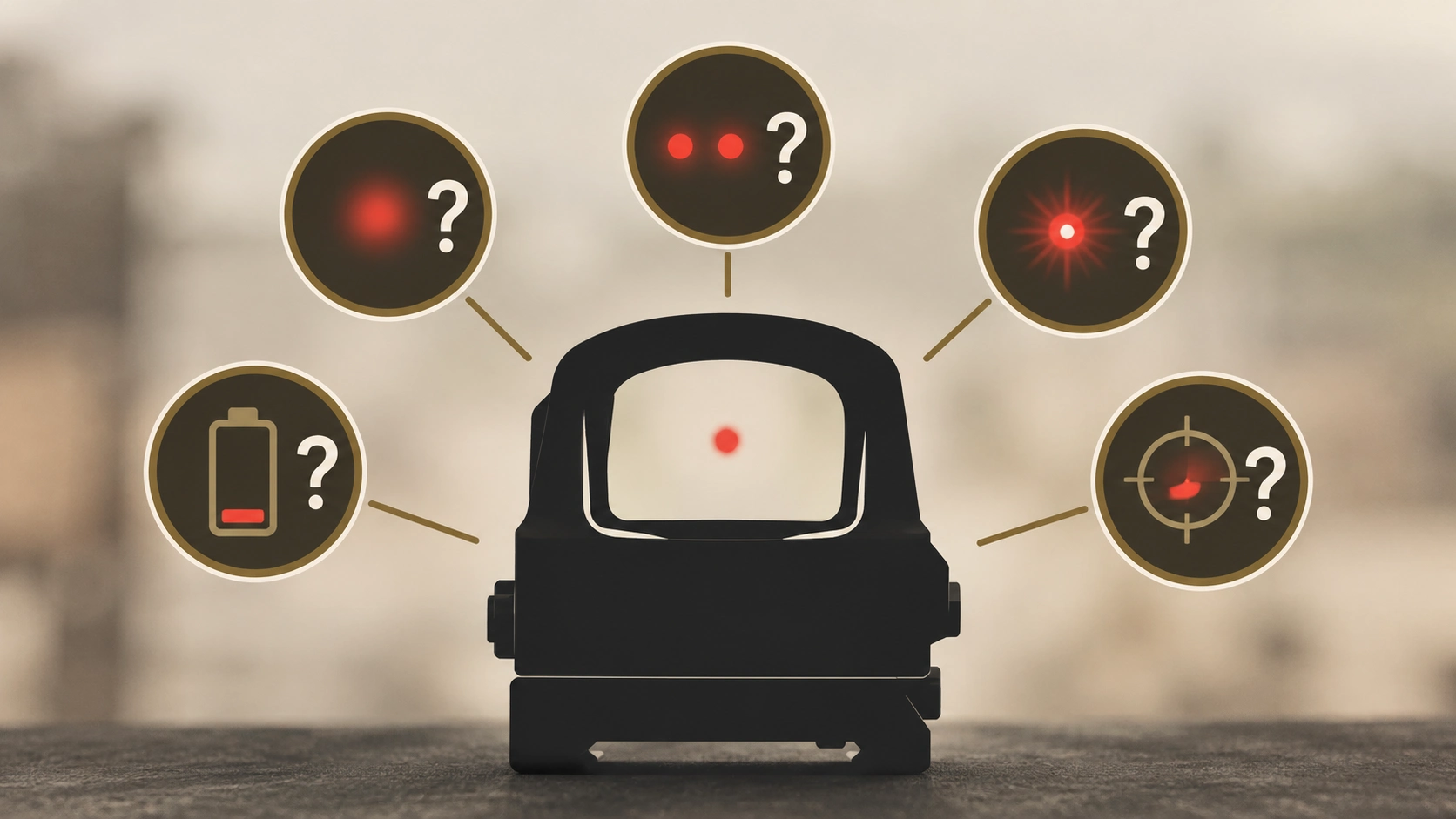
Your dot flickers, vanishes mid-string, or splits in two. Or your groups drift off target, and you start to wonder if your optic just died.

Here’s the good news. Most red dot sight problems trace back to four areas: the battery, the mount, the brightness or your eyes, or a true defect inside the optic.

You should rule out the first three before anything else, and many fixes take minutes. A true defect is different, since it usually means a warranty claim, not a home repair.

This guide gives you a 60-second check to find the cause, a fix for each symptom, and a clear line on when to send it in. Have the right red dot maintenance can prevent many of these issues.

Highlights

  • A 60-second triage shows whether the optic, mount, or you are at fault.
  • A phone photo shows whether a blurry dot is the optic or your eyes.
  • Recoil can break battery contact for a split second and blank the dot.
  • Lost zero is usually a mount problem, not a dead optic.
  • Fog inside, a steady flicker, or a dot that drifts on its own means it’s time for warranty service.

Safety First: Clear the Gun Before You Touch the Optic

Before you check, adjust, or remove an optic, make sure the gun is empty. Treat every gun as if it’s loaded, even right after you’ve checked it.

  1. Point the muzzle in a safe direction.
  2. Remove the magazine.
  3. Lock the slide or bolt open.
  4. Look and feel to confirm the chamber is empty.
  5. Move all ammo away from your work area.

Also, don’t open a sealed optic to “fix the wires.” It can break the seals that keep moisture out, and it usually voids the warranty.

Red Dot Troubleshooting: The 60-Second Triage

Find out which part is failing before you fix anything. That keeps you from swapping batteries for an hour when the real issue is a loose screw.

Ask these four questions in order:

  1. Does the dot show up at all? If not, start with the power section.
  2. Does the dot look blurry, doubled, or smeared? Run the photo and rotate tests below.
  3. Does the dot look fine, but your hits wander? Check the mount before you blame the optic.
  4. Does the problem only happen while you shoot? Suspect recoil, like a battery losing contact or a shifting mount.

The Phone-Photo Test

Point the optic at a plain, dark background with normal brightness, then snap a photo through it. If the dot looks clean in the photo but messy to your eye, the issue is your vision.

The usual culprit is astigmatism. The National Eye Institute explains that it can make things look blurry or stretched at any distance.

For a quick extra check, look with one eye, then the other. If the dot changes shape between eyes, your eyes are the cause, since a flaw in the optic would look the same to both.

The Rotate Test

With the gun empty, slowly roll it while you look at the dot. If the smear moves with the optic, suspect the optic; if it stays put, it’s your eye.

The Swap Test

Move the optic to another mount or gun, and see whether the problem follows the optic or stays with the gun.

If it stays with the gun, look at the mount, plate, slide cut, or rail. You can also hand the gun to a friend; if they get a clean dot, your optic is probably fine.

Quick Symptom Index

Use this table to find your issue fast.

SymptomLikely CauseTry FirstVerdict
Dot won’t turn onBattery or settingFresh battery, seat the capFix it yourself
Dot flickers or vanishesWeak battery or poor contactNew battery, check seatingFix, then warranty
Blurry or starburst dotEyes or brightnessLower brightness, photo testFix it yourself
Two dots or haloBrightness or lens coverLower brightness, open coverFix it yourself
Won’t hold zeroLoose mount or screwsTorque to spec, mark screwsFix, then warranty
Fog inside the housingBroken sealNothingWarranty
Dot moves with gun stillInternal failureNothingWarranty

Power and Electrical Problems

Power issues are often the easiest to fix, so start here whenever the dot is dim, gone, or acting strange.

Red Dot Not Turning On

Start with a fresh battery from a trusted store. A “new” battery can still be weak if it was stored in the heat or came from an unknown seller.

Age alone rarely matters, since a CR2032 datasheet lists self-discharge at under 1% per year at room temperature.

Then check for these slip-ups:

  • The battery is upside down.
  • The cap or battery tray isn’t fully seated.
  • A pull tab or insulator is still in place, if your optic shipped with one.
  • The optic is on a night vision setting that looks dark in daylight.

Some optics need a press-and-hold instead of a tap, and others shut off when they sit still, so give the gun a little shake.

If you see residue on the contacts, clean them gently with isopropyl alcohol and a cotton swab. Skip spray-on electrical contact cleaner, since some types can damage plastic parts.

Check our battery life guide for tips on choosing and storing batteries.

Still dark? Contact the manufacturer.

Red Dot Flickering or Dimming

A flickering dot usually means the battery is weak or the connection is poor. A loose cap, dirty contacts, or a battery that shifts in its slot can all cause it.

  1. Install a fresh, quality battery.
  2. If your optic has a screw-on cap, tighten it until it’s fully seated. You’ll feel the rubber O-ring push back first.
  3. If it uses a battery tray or loads from the bottom, make sure the tray or optic is fully seated.
  4. Clean the battery contacts.
  5. Click through every brightness level to see if it only flickers on one.

Cold matters, too, since that same datasheet shows coin cells holding less power below freezing. Your dot may struggle on a winter range.

If it still flickers with a fresh battery and clean contacts, it’s likely an internal fault. That’s a warranty job.

Red Dot Disappears When Shooting

This one’s sneaky. The dot cuts out during a string, then comes back a few seconds later.

It’s especially common on pistol optics, though carbines can do it, too. A slide moves so hard and fast that the battery can lose contact for a split second.

  • Try a different battery brand, since quality and thickness vary.
  • Make sure the cap or battery tray is fully seated.
  • Check that your mounting screws aren’t too long.
  • Make sure the optic sits flat in the slide cut.

Also rule out your grip, since new shooters often “lose” the dot as the gun moves in recoil. If it still drops out after all that, follow the warranty steps near the end of this guide.

Buttons Don’t Work or Brightness Changes on Its Own

Grit can make buttons stick, and a holster or your support hand can bump them. Clean around the buttons and use a holster that’s cut for your optic.

Some optics also have a button lock feature, so check your manual if your settings keep changing. If your optic won’t turn off, try a new battery first, then follow the manual’s reset steps.

Dot Appearance Problems

When the dot shows up but looks wrong, it usually comes down to brightness, a dirty lens, or your eyes.

Red Dot Blurry? Smears and Starbursts

A dot that looks like a comet or starburst often comes from astigmatism. Run the photo and rotate tests first.

Then lower the brightness, since an overly bright dot can starburst even with perfect eyes. A green reticle may also look cleaner; see our guides on red-dot astigmatism and the starburst effect, since they dig deeper into these topics.

Red Dot Double Dot, Ghost Dot, or Halo

Seeing two dots or a fuzzy ring usually means the brightness is too high. Extra light bounces around the glass, creating a ghost dot or halo.

Check these causes, too:

  • A protective film still stuck to the lens
  • A closed or see-through flip cap in front of the optic
  • Smudges or oil on the lens
  • A magnifier or other accessory catching extra reflections

Lower the brightness, clean the lens, open the cap, and test with each accessory removed. If the extra dot stays and shows up in a photo, contact the maker.

Red Dot Washed Out by Weapon Light or Sun

Your brightness should match your shooting conditions. A setting that’s perfect indoors can disappear in noon sun.

Retail troubleshooting guides rarely cover weapon lights. Glare from a bright light bouncing off walls and targets can overpower a dim dot, so turn your brightness up when you train with one.

If the dot still vanishes at max brightness, your light may be too intense for indoor use. A lower-candela light, with a less concentrated beam, often fixes it, and our weapon light guides can help you choose one.

Auto-brightness can get fooled, too. If you’re in the shade while the target sits in the sun, the sensor may pick a setting that’s too dim, so switch to manual and test your setup in safe, dry practice.

Fog on or Inside the Lens

Fog on the outside comes from your breath or quick temperature changes. It clears with time or an anti-fog wipe.

Fog inside is different. Sealed optics are built to keep moisture out, so inside fog means the seal failed and it’s a warranty issue.

Zero and Accuracy Problems

When the dot looks fine, but your hits don’t, the mount is a common cause. Mounting, not the optic, is now the main failure point in his pistol-optic classes.

Red Dot Won’t Hold Zero

Before you blame the optic, check these usual causes:

  • Loose screws, or screws installed without threadlocker or a torque wrench
  • The wrong screw length for your slide or plate
  • A polymer adapter plate that flexes under recoil
  • A rifle optic on a flexing handguard, or a cross-bolt that wasn’t pushed forward into the rail slot before tightening
  • Big temperature swings, which can shift zero a little
  • Your grip, trigger, or fatigue making groups drift
  • A failure inside the optic, which is real but less common

Here’s an easy test. Draw a paint-pen line across each screw and the mount, and if the lines move, the mount is the problem.

Next, shoot groups from a rest. Tight groups that shift between trips point to the mount or optic, while big, loose groups point to you or your ammo.

Always use your maker’s torque spec, measured with an inch-pound torque wrench, plus the right threadlocker. Our mounts guide and zeroing guide cover both, and if a properly mounted optic still wanders, file a warranty claim.

Zero Shifts After a Battery Change

Some pistol optics load the battery from the bottom. You have to remove the optic to swap it, and that can shift your zero.

Re-torque and re-check zero every time, or pick a top- or side-loading optic next time.

Dot Stuck in a Corner of the Window

New pistol shooters often see the dot near a corner and think the optic is broken. It usually isn’t.

Where the dot sits depends mostly on how your eye lines up behind the optic, and an unzeroed optic adds to the confusion. Practice a steady presentation, then zero on paper up close or use a laser bore sighter to get started.

If you run out of adjustment room, the mount or slide cut may be out of line. If the turrets don’t click or don’t move your shots, that’s a warranty issue.

Dot Moves in Window? What Parallax Means

Red dots are close to parallax-free, but not perfectly.

So a small shift when your eye sits off-center is normal. Keep the same head position and cheek weld each time to keep the dot centered.

Here’s the real red flag. If the dot moves while the gun and your head stay still, something inside is loose, so send it in.

Pistol Red Dot Problems

Pistol optics take a beating, since the slide slams back with every shot.

  • Can’t find the dot on the draw: This is usually a presentation issue, and suppressor-height iron sights give you a backup reference.
  • Debris blocking the dot: On open-emitter optics, rain, sweat, or lint can block the emitter, as our open vs. closed emitter guide explains.
  • Screws backing out or breaking: Check them often and use the right length and threadlocker.
  • Holster wear: A holster that isn’t cut for your optic can rub the lens or press the buttons.

Rifle and Shotgun Red Dot Problems

On a rifle, mount the optic on the receiver rail, not a handguard that can flex. A mount that’s too tall or short can also wreck your cheek weld.

Shotguns kick hard, so weak mounts fail fast. Clamp-style mounts can shift under heavy loads, and our shotgun mounting guide shows sturdier options.

“Problems” That Aren’t Actually Problems

Some things look wrong but are normal, and knowing them can save you a return.

  • A tinted lens: A blue, purple, or yellow tint comes from the coating that reflects the dot.
  • A tilted front lens: That angle is part of how the dot is made.
  • A dot that isn’t centered: It’s usually your eye position or an unzeroed optic.
  • A little movement near the edge: That’s normal, minor parallax.
  • A dot bigger than its rated size: Your brightness is too high.
  • An optic that shut off in storage: Auto-off is a feature that saves battery.

When to Stop: Repair, Warranty, or Replace?

  • Fix it yourself: Battery, cap, contacts, brightness, cleaning, films, torque, and re-zeroing.
  • Send it in: Inside fog, steady flicker with a good battery, a cracked lens, a dot that moves on its own, dead turrets, or zero that won’t hold on a solid mount.
  • Replace it: A budget optic with an internal failure and no warranty left, or an optic that’s wrong for your gun.

Warranty rules vary by brand. Some require the original receipt or cover only the first owner, while others transfer to new owners, so read yours before you file.

How to Prevent Red Dot Problems Before They Start

A few good habits can prevent most of these issues.

  • Choose an optic that fits your gun’s footprint, your use, and your battery-access needs.
  • Mount it once, with clean, degreased screws and holes, the right threadlocker, proper torque, and witness marks.
  • Let the threadlocker cure before you shoot. Trainers often wait a full 24 hours.
  • Re-check torque and zero after your first range trip, then on a schedule.
  • Swap batteries on a schedule, not when they die.
  • Keep a simple log of your install date, battery date, round count, and any odd behavior.

Frequently Asked Questions

Why does my red dot look worse at night?

Your pupils open wider in the dark, which can make any astigmatism more noticeable. Lowering the brightness for dim light usually cleans up the dot.

Are cheap red dots more likely to have problems?

Budget optics can be more likely to lose zero under heavy pistol recoil. Match your optic’s build quality to how hard you’ll use it.

Conclusion

Most red dot trouble isn’t a dead optic. It’s usually a weak battery, a loose mount, the wrong brightness, or your eyes, and a 60-second triage with the photo, rotate, and swap tests shows you which one you’re facing.

Fix what you can at the bench, send anything that fails inside, and replace optics that don’t fit the job. Good mounting habits and a battery schedule keep the trouble from coming back.

Need a dependable replacement? Browse Gold Trigger’s red dot sights, or call us at 713-485-5773.

DISCLAIMER: Gold Trigger sells tactical gear and firearm accessories, including optics intended for use with firearms. All products are sold for lawful purposes only. Firearms and related accessories are regulated items, and the buyer is solely responsible for complying with all applicable federal, state, and local laws before purchase, ownership, and use. The troubleshooting information in this article is for general educational purposes only and doesn’t replace the manufacturer’s instructions, warranty terms, or the guidance of a qualified gunsmith or armorer. Always unload and verify that a firearm is clear before inspecting, adjusting, mounting, or removing an optic, and always follow safe firearm-handling practices. Don’t disassemble sealed optics, since doing so may cause damage, create unsafe conditions, and void the manufacturer’s warranty. Torque values, battery types, and procedures vary by model, so always refer to your optic’s manual. Gold Trigger isn’t liable for damage, injury, or loss resulting from misuse, improper installation, unauthorized modification, or illegal use of any product. Prices and product availability are subject to change.

Comments

Leave a Reply

Your email address will not be published. Required fields are marked *

Red Dot Sight Problems: Is It the Optic, the Mount, or You?

Red Dot Sight Problems: Is It the Optic, the Mount, or You?

Reading time: 12 mins

Your dot flickers, vanishes mid-string, or splits in two. Or your groups drift off target, and you start to wonder if your optic just died.

Here’s the good news. Most red dot sight problems trace back to four areas: the battery, the mount, the brightness or your eyes, or a true defect inside the optic.

You should rule out the first three before anything else, and many fixes take minutes. A true defect is different, since it usually means a warranty claim, not a home repair.

This guide gives you a 60-second check to find the cause, a fix for each symptom, and a clear line on when to send it in. Have the right red dot maintenance can prevent many of these issues.

Highlights

  • A 60-second triage shows whether the optic, mount, or you are at fault.
  • A phone photo shows whether a blurry dot is the optic or your eyes.
  • Recoil can break battery contact for a split second and blank the dot.
  • Lost zero is usually a mount problem, not a dead optic.
  • Fog inside, a steady flicker, or a dot that drifts on its own means it’s time for warranty service.

Safety First: Clear the Gun Before You Touch the Optic

Before you check, adjust, or remove an optic, make sure the gun is empty. Treat every gun as if it’s loaded, even right after you’ve checked it.

  1. Point the muzzle in a safe direction.
  2. Remove the magazine.
  3. Lock the slide or bolt open.
  4. Look and feel to confirm the chamber is empty.
  5. Move all ammo away from your work area.

Also, don’t open a sealed optic to “fix the wires.” It can break the seals that keep moisture out, and it usually voids the warranty.

Red Dot Troubleshooting: The 60-Second Triage

Find out which part is failing before you fix anything. That keeps you from swapping batteries for an hour when the real issue is a loose screw.

Ask these four questions in order:

  1. Does the dot show up at all? If not, start with the power section.
  2. Does the dot look blurry, doubled, or smeared? Run the photo and rotate tests below.
  3. Does the dot look fine, but your hits wander? Check the mount before you blame the optic.
  4. Does the problem only happen while you shoot? Suspect recoil, like a battery losing contact or a shifting mount.

The Phone-Photo Test

Point the optic at a plain, dark background with normal brightness, then snap a photo through it. If the dot looks clean in the photo but messy to your eye, the issue is your vision.

The usual culprit is astigmatism. The National Eye Institute explains that it can make things look blurry or stretched at any distance.

For a quick extra check, look with one eye, then the other. If the dot changes shape between eyes, your eyes are the cause, since a flaw in the optic would look the same to both.

The Rotate Test

With the gun empty, slowly roll it while you look at the dot. If the smear moves with the optic, suspect the optic; if it stays put, it’s your eye.

The Swap Test

Move the optic to another mount or gun, and see whether the problem follows the optic or stays with the gun.

If it stays with the gun, look at the mount, plate, slide cut, or rail. You can also hand the gun to a friend; if they get a clean dot, your optic is probably fine.

Quick Symptom Index

Use this table to find your issue fast.

SymptomLikely CauseTry FirstVerdict
Dot won’t turn onBattery or settingFresh battery, seat the capFix it yourself
Dot flickers or vanishesWeak battery or poor contactNew battery, check seatingFix, then warranty
Blurry or starburst dotEyes or brightnessLower brightness, photo testFix it yourself
Two dots or haloBrightness or lens coverLower brightness, open coverFix it yourself
Won’t hold zeroLoose mount or screwsTorque to spec, mark screwsFix, then warranty
Fog inside the housingBroken sealNothingWarranty
Dot moves with gun stillInternal failureNothingWarranty

Power and Electrical Problems

Power issues are often the easiest to fix, so start here whenever the dot is dim, gone, or acting strange.

Red Dot Not Turning On

Start with a fresh battery from a trusted store. A “new” battery can still be weak if it was stored in the heat or came from an unknown seller.

Age alone rarely matters, since a CR2032 datasheet lists self-discharge at under 1% per year at room temperature.

Then check for these slip-ups:

  • The battery is upside down.
  • The cap or battery tray isn’t fully seated.
  • A pull tab or insulator is still in place, if your optic shipped with one.
  • The optic is on a night vision setting that looks dark in daylight.

Some optics need a press-and-hold instead of a tap, and others shut off when they sit still, so give the gun a little shake.

If you see residue on the contacts, clean them gently with isopropyl alcohol and a cotton swab. Skip spray-on electrical contact cleaner, since some types can damage plastic parts.

Check our battery life guide for tips on choosing and storing batteries.

Still dark? Contact the manufacturer.

Red Dot Flickering or Dimming

A flickering dot usually means the battery is weak or the connection is poor. A loose cap, dirty contacts, or a battery that shifts in its slot can all cause it.

  1. Install a fresh, quality battery.
  2. If your optic has a screw-on cap, tighten it until it’s fully seated. You’ll feel the rubber O-ring push back first.
  3. If it uses a battery tray or loads from the bottom, make sure the tray or optic is fully seated.
  4. Clean the battery contacts.
  5. Click through every brightness level to see if it only flickers on one.

Cold matters, too, since that same datasheet shows coin cells holding less power below freezing. Your dot may struggle on a winter range.

If it still flickers with a fresh battery and clean contacts, it’s likely an internal fault. That’s a warranty job.

Red Dot Disappears When Shooting

This one’s sneaky. The dot cuts out during a string, then comes back a few seconds later.

It’s especially common on pistol optics, though carbines can do it, too. A slide moves so hard and fast that the battery can lose contact for a split second.

  • Try a different battery brand, since quality and thickness vary.
  • Make sure the cap or battery tray is fully seated.
  • Check that your mounting screws aren’t too long.
  • Make sure the optic sits flat in the slide cut.

Also rule out your grip, since new shooters often “lose” the dot as the gun moves in recoil. If it still drops out after all that, follow the warranty steps near the end of this guide.

Buttons Don’t Work or Brightness Changes on Its Own

Grit can make buttons stick, and a holster or your support hand can bump them. Clean around the buttons and use a holster that’s cut for your optic.

Some optics also have a button lock feature, so check your manual if your settings keep changing. If your optic won’t turn off, try a new battery first, then follow the manual’s reset steps.

Dot Appearance Problems

When the dot shows up but looks wrong, it usually comes down to brightness, a dirty lens, or your eyes.

Red Dot Blurry? Smears and Starbursts

A dot that looks like a comet or starburst often comes from astigmatism. Run the photo and rotate tests first.

Then lower the brightness, since an overly bright dot can starburst even with perfect eyes. A green reticle may also look cleaner; see our guides on red-dot astigmatism and the starburst effect, since they dig deeper into these topics.

Red Dot Double Dot, Ghost Dot, or Halo

Seeing two dots or a fuzzy ring usually means the brightness is too high. Extra light bounces around the glass, creating a ghost dot or halo.

Check these causes, too:

  • A protective film still stuck to the lens
  • A closed or see-through flip cap in front of the optic
  • Smudges or oil on the lens
  • A magnifier or other accessory catching extra reflections

Lower the brightness, clean the lens, open the cap, and test with each accessory removed. If the extra dot stays and shows up in a photo, contact the maker.

Red Dot Washed Out by Weapon Light or Sun

Your brightness should match your shooting conditions. A setting that’s perfect indoors can disappear in noon sun.

Retail troubleshooting guides rarely cover weapon lights. Glare from a bright light bouncing off walls and targets can overpower a dim dot, so turn your brightness up when you train with one.

If the dot still vanishes at max brightness, your light may be too intense for indoor use. A lower-candela light, with a less concentrated beam, often fixes it, and our weapon light guides can help you choose one.

Auto-brightness can get fooled, too. If you’re in the shade while the target sits in the sun, the sensor may pick a setting that’s too dim, so switch to manual and test your setup in safe, dry practice.

Fog on or Inside the Lens

Fog on the outside comes from your breath or quick temperature changes. It clears with time or an anti-fog wipe.

Fog inside is different. Sealed optics are built to keep moisture out, so inside fog means the seal failed and it’s a warranty issue.

Zero and Accuracy Problems

When the dot looks fine, but your hits don’t, the mount is a common cause. Mounting, not the optic, is now the main failure point in his pistol-optic classes.

Red Dot Won’t Hold Zero

Before you blame the optic, check these usual causes:

  • Loose screws, or screws installed without threadlocker or a torque wrench
  • The wrong screw length for your slide or plate
  • A polymer adapter plate that flexes under recoil
  • A rifle optic on a flexing handguard, or a cross-bolt that wasn’t pushed forward into the rail slot before tightening
  • Big temperature swings, which can shift zero a little
  • Your grip, trigger, or fatigue making groups drift
  • A failure inside the optic, which is real but less common

Here’s an easy test. Draw a paint-pen line across each screw and the mount, and if the lines move, the mount is the problem.

Next, shoot groups from a rest. Tight groups that shift between trips point to the mount or optic, while big, loose groups point to you or your ammo.

Always use your maker’s torque spec, measured with an inch-pound torque wrench, plus the right threadlocker. Our mounts guide and zeroing guide cover both, and if a properly mounted optic still wanders, file a warranty claim.

Zero Shifts After a Battery Change

Some pistol optics load the battery from the bottom. You have to remove the optic to swap it, and that can shift your zero.

Re-torque and re-check zero every time, or pick a top- or side-loading optic next time.

Dot Stuck in a Corner of the Window

New pistol shooters often see the dot near a corner and think the optic is broken. It usually isn’t.

Where the dot sits depends mostly on how your eye lines up behind the optic, and an unzeroed optic adds to the confusion. Practice a steady presentation, then zero on paper up close or use a laser bore sighter to get started.

If you run out of adjustment room, the mount or slide cut may be out of line. If the turrets don’t click or don’t move your shots, that’s a warranty issue.

Dot Moves in Window? What Parallax Means

Red dots are close to parallax-free, but not perfectly.

So a small shift when your eye sits off-center is normal. Keep the same head position and cheek weld each time to keep the dot centered.

Here’s the real red flag. If the dot moves while the gun and your head stay still, something inside is loose, so send it in.

Pistol Red Dot Problems

Pistol optics take a beating, since the slide slams back with every shot.

  • Can’t find the dot on the draw: This is usually a presentation issue, and suppressor-height iron sights give you a backup reference.
  • Debris blocking the dot: On open-emitter optics, rain, sweat, or lint can block the emitter, as our open vs. closed emitter guide explains.
  • Screws backing out or breaking: Check them often and use the right length and threadlocker.
  • Holster wear: A holster that isn’t cut for your optic can rub the lens or press the buttons.

Rifle and Shotgun Red Dot Problems

On a rifle, mount the optic on the receiver rail, not a handguard that can flex. A mount that’s too tall or short can also wreck your cheek weld.

Shotguns kick hard, so weak mounts fail fast. Clamp-style mounts can shift under heavy loads, and our shotgun mounting guide shows sturdier options.

“Problems” That Aren’t Actually Problems

Some things look wrong but are normal, and knowing them can save you a return.

  • A tinted lens: A blue, purple, or yellow tint comes from the coating that reflects the dot.
  • A tilted front lens: That angle is part of how the dot is made.
  • A dot that isn’t centered: It’s usually your eye position or an unzeroed optic.
  • A little movement near the edge: That’s normal, minor parallax.
  • A dot bigger than its rated size: Your brightness is too high.
  • An optic that shut off in storage: Auto-off is a feature that saves battery.

When to Stop: Repair, Warranty, or Replace?

  • Fix it yourself: Battery, cap, contacts, brightness, cleaning, films, torque, and re-zeroing.
  • Send it in: Inside fog, steady flicker with a good battery, a cracked lens, a dot that moves on its own, dead turrets, or zero that won’t hold on a solid mount.
  • Replace it: A budget optic with an internal failure and no warranty left, or an optic that’s wrong for your gun.

Warranty rules vary by brand. Some require the original receipt or cover only the first owner, while others transfer to new owners, so read yours before you file.

How to Prevent Red Dot Problems Before They Start

A few good habits can prevent most of these issues.

  • Choose an optic that fits your gun’s footprint, your use, and your battery-access needs.
  • Mount it once, with clean, degreased screws and holes, the right threadlocker, proper torque, and witness marks.
  • Let the threadlocker cure before you shoot. Trainers often wait a full 24 hours.
  • Re-check torque and zero after your first range trip, then on a schedule.
  • Swap batteries on a schedule, not when they die.
  • Keep a simple log of your install date, battery date, round count, and any odd behavior.

Frequently Asked Questions

Why does my red dot look worse at night?

Your pupils open wider in the dark, which can make any astigmatism more noticeable. Lowering the brightness for dim light usually cleans up the dot.

Are cheap red dots more likely to have problems?

Budget optics can be more likely to lose zero under heavy pistol recoil. Match your optic’s build quality to how hard you’ll use it.

Conclusion

Most red dot trouble isn’t a dead optic. It’s usually a weak battery, a loose mount, the wrong brightness, or your eyes, and a 60-second triage with the photo, rotate, and swap tests shows you which one you’re facing.

Fix what you can at the bench, send anything that fails inside, and replace optics that don’t fit the job. Good mounting habits and a battery schedule keep the trouble from coming back.

Need a dependable replacement? Browse Gold Trigger’s red dot sights, or call us at 713-485-5773.

DISCLAIMER: Gold Trigger sells tactical gear and firearm accessories, including optics intended for use with firearms. All products are sold for lawful purposes only. Firearms and related accessories are regulated items, and the buyer is solely responsible for complying with all applicable federal, state, and local laws before purchase, ownership, and use. The troubleshooting information in this article is for general educational purposes only and doesn’t replace the manufacturer’s instructions, warranty terms, or the guidance of a qualified gunsmith or armorer. Always unload and verify that a firearm is clear before inspecting, adjusting, mounting, or removing an optic, and always follow safe firearm-handling practices. Don’t disassemble sealed optics, since doing so may cause damage, create unsafe conditions, and void the manufacturer’s warranty. Torque values, battery types, and procedures vary by model, so always refer to your optic’s manual. Gold Trigger isn’t liable for damage, injury, or loss resulting from misuse, improper installation, unauthorized modification, or illegal use of any product. Prices and product availability are subject to change.

Leave a Reply

Your email address will not be published. Required fields are marked *

Shopping cart0
There are no products in the cart!